Undetected PC 5.0 (7216)
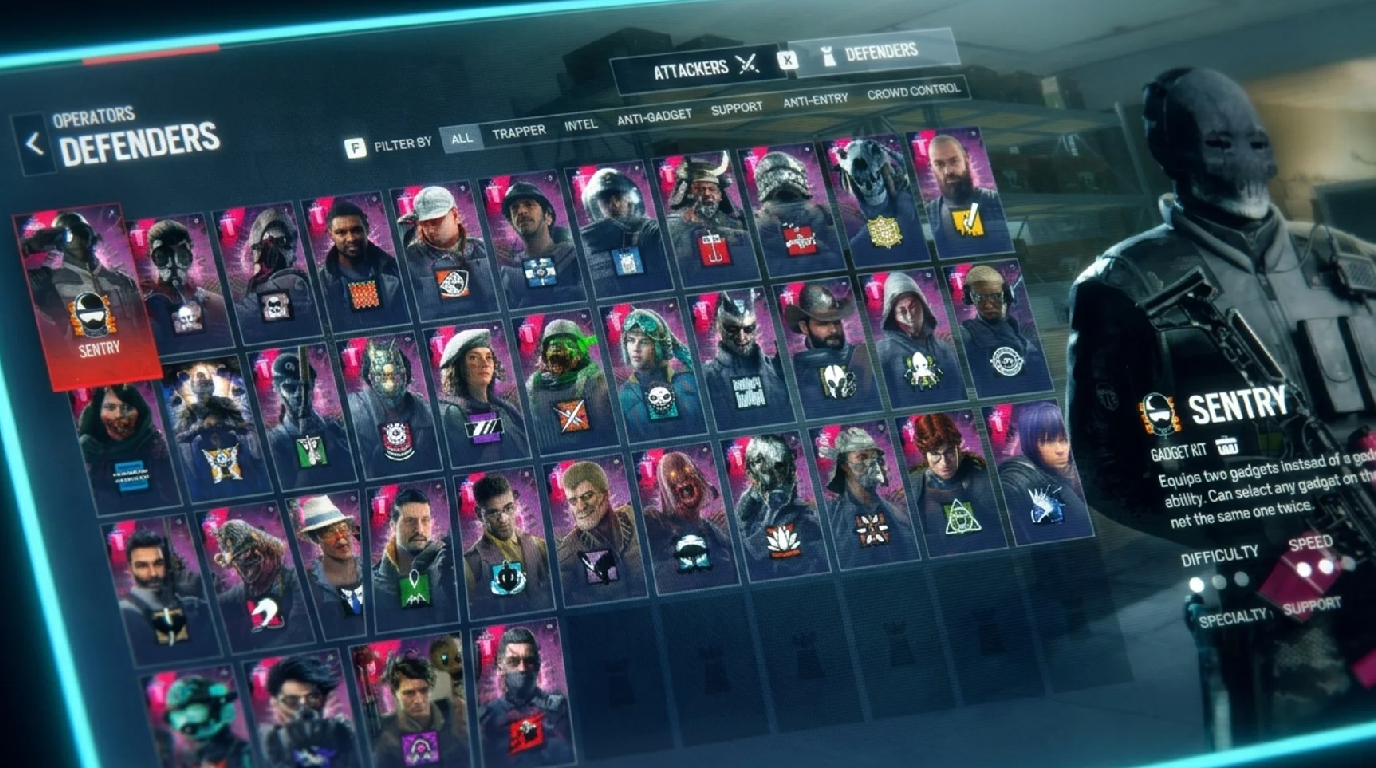
REQUIREMENTS--- Operating System | Windows 10 & 11 FEATURES--- This tool instantly unlocks ALL operators, ALL weapon cosmetics, ALL attachment skins, and ALL weapon charms.
From $6.99
The same key facts are shown for every listing, so you can compare them.
Written by the seller.
Features Unlock All – Unlocks all weapons, attachments, skins, and other locked content Recoil – Enables recoil control functionality Recoil Strength Slider (0–100) – Adjusts the intensity of recoil reduction from 0% to 100% Keybinds to Increase / Decrease Recoil Strength – Assign hotkeys to dynamically adjust recoil strength during gameplay
No reviews yet for this listing.
REQUIREMENTS--- Operating System | Windows 10 & 11 FEATURES--- This tool instantly unlocks ALL operators, ALL weapon cosmetics, ALL attachment skins, and ALL weapon charms.
From $6.99
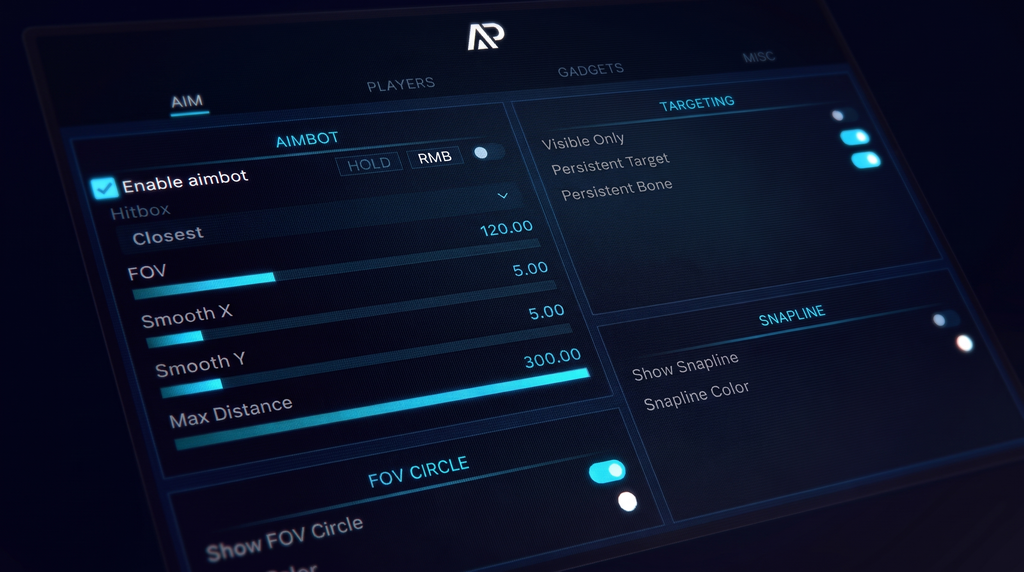
REQUIREMENTS--- Operating System | Windows 10 & 11 Required Apps | Discord Processor | Intel & AMD Setup Difficulty | Very Easy HWID Spoofer Included? | No FEATURES--- [Combat] Aimbot Hitbox Selection FOV Adjustment Aim Smoothing Max Distance FOV Circle Visible Only Sticky Target / Bone Snaplines Triggerbot Triggerbot Delay / Hold Time [Visuals] Skeleton ESP Head Circle Box ESP Distance Player Name Operator Name & Icon Health Bar Custom Colors Max Distance Off-Screen Indicators Combat Mode Gadget ESP Gadget Distance Gadget Icons Custom Gadget Colors Attack Gadget ESP Defense Gadget ESP [Misc] Drones Claymores Airjabs Trax Stingers Defuser Traps Cameras Mines Shields Jammers Alarms Barbed Wire Operator Gadgets
From $29.99
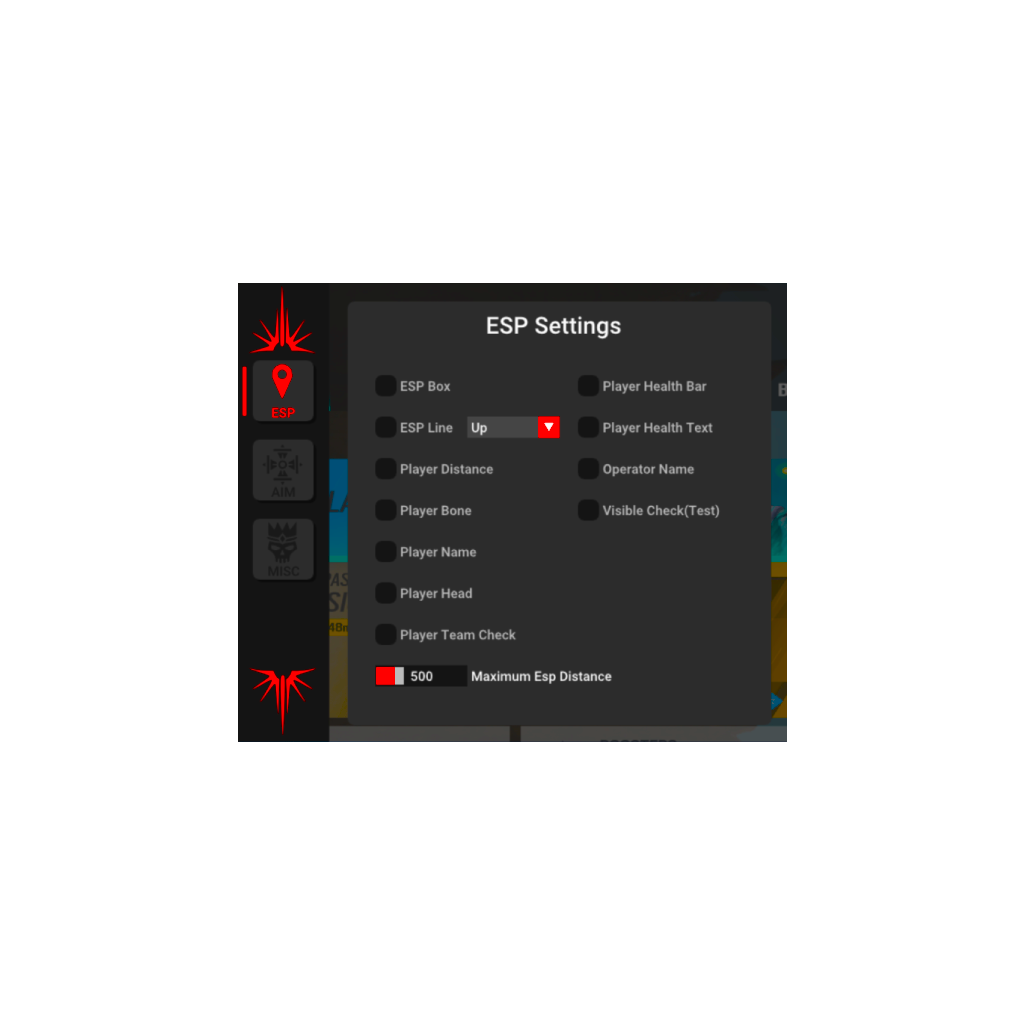
REQUIREMENTS--- Operating System | Windows 10 & 11 Processor | Intel & AMD Video Card | Nvidia & AMD HWID Spoofer Included? | No FEATURES--- [Combat] Active Aimbot - enable aimbot, aiming assistance when shooting Aimbot Keys - ability to set 2 keys to activate the aimbot FOV Size - the size of the area within which the aimbot will capture targets Draw FOV - show the size of the aimbot's working area as a circle around the sight Hitboxes - selection of body parts (bones) that the aimbot will aim at during operation Mark Target - visually mark the current target of the aimbot Sensitivity - sharpness, smoothness of aimbot movements [Visuals] Players - esp for rainbow, shows players behind walls ESP Box - ESP in the form of boxes ESP Line (Up, Center, Bottom) - wh in the form of lines Skeleton - wallhack in the form of skeletons Name - players' nicknames Head - select head hitbox separately using ESP Health (Bar, Text) - display of players' HP Team Check - if you check this box, allies will not be shown (don't check this in arcade) Operator Name - show operator names Distance - distance in meters to enemies Max Distance - limit the range of the wallhack [Misc] Crosshair - static crosshair in the middle of the screen Hit Damage Effect - shows damage dealt to players by shots Gadget ESP - Display Drones and Other Devices with WH Radar ESP - a full-featured 2D radar that displays enemies (with a distinction between enemies higher or lower than your position)
$22.99

Aimbot FOV – Set the size of the area within which the aimbot captures targets Draw FOV – Display the aimbot's targeting area as a circle on screen Bone select – Choose which body part the aimbot prioritizes Bone vischeck – Only target bones that are currently visible Visible only – Restrict targeting to enemies you can see Skip team – Prevent the aimbot from targeting teammates Skip injured – Ignore downed or injured players No Recoil – Completely eliminates weapon recoil Smooth – Control the fluidity and smoothness of aimbot movements Displacement – Adjust aim offset from the target bone Tremor – Add natural micro-movements to aim for a human-like feel and MORE – Additional aimbot features available Weapon No Recoil – Completely eliminates all weapon recoil Recoil value – Adjust the intensity of recoil reduction No Spread – Removes bullet spread for perfect accuracy Spread value – Adjust the intensity of spread reduction and MORE – Additional weapon features available Player ESP Enemy / Ally – Toggle ESP for enemies and teammates separately Box – Draw a rectangular outline around players Skeleton – Display player skeletal structure through walls Health – Display players' HP as a dynamic bar Name – Display player usernames Distance – Show real-time distance in meters to each player Operator – Display the operator or character each player is using Snaplines – Draw a line from your position to each player Offscreen – Show directional indicators for off-screen players Radar – Mini-map overlay showing player positions Max distance – Set the maximum range for ESP rendering ESP preview – Real-time preview of your ESP settings and MORE – Additional player ESP features available Radar Size – Adjust the overall size of the radar display Range – Set the maximum detection range on radar Compass – Display a compass on the radar and MORE – Additional radar features available Unlock All Weapon skins – Unlock all weapon skins Attach skins – Unlock all attachment skins Charms – Unlock all weapon charms Operators – Unlock all operators Seen by all – All unlocked items are visible to other players and MORE – Additional unlock features available Movement / Exploits SpeedHack – Increase movement speed beyond normal limits JumpHack – Jump higher or infinitely Freecam – Detach the camera from your character for free movement and MORE – Additional movement exploits available Gadget ESP Gadget type – Select which gadget types to display Name – Display gadget names Box – Draw a rectangular outline around gadgets Distance – Show distance in meters to each gadget Snapline – Draw a line from your position to each gadget Drone – Highlight drones Shock Drone – Highlight shock drones Kludge Drone – Highlight kludge drones Yokai – Highlight Yokai drones Airjab – Highlight airjab devices Camera – Highlight cameras and MORE – Additional gadget ESP features available World Sun override – Replace the sun's visual appearance Sun strength – Adjust the intensity of sunlight Lighting – Modify global lighting conditions Light level – Set the overall brightness of the world Sky override – Replace the sky's visual appearance Sky intensity – Adjust the brightness of the sky and MORE – Additional world customization features available Interface Keybind list – Display all active keybinds on screen ESP preview – Real-time preview of your ESP settings and MORE – Additional interface features available
From $9.99
Aim Enable – Activates or deactivates the aimbot system Aim Key – Sets the hotkey to activate the aimbot FOV – Defines the angular radius around your crosshair within which the aimbot searches for targets Draw FOV – Renders a visible circle on screen representing the active aimbot Field of View Bone Mode – Selects which body part the aimbot prioritizes when locking onto enemies Aim Method (Silent / Visible) – Silent sends corrections server-side without moving crosshair; Visible moves your crosshair visibly Smoothing – Controls the speed at which the aimbot transitions toward the target Hitchance – Sets a minimum required hit probability (0–100%) before the aimbot attempts to engage Visibility Check – Restricts the aimbot to only lock onto targets in direct line of sight Prediction – Accounts for bullet travel time and enemy velocity to lead moving targets Bow Charge Bar – Displays a visual charge indicator when using bow weapons Bow Arc Preview – Shows the predicted trajectory arc of bow shots Bone Picker – Opens a detailed selection interface for targeting specific bones Triggerbot – Automatically fires when the crosshair is over an enemy target Weapon No Recoil – Completely eliminates all weapon recoil Recoil Compensation – Automatically counteracts weapon recoil while maintaining natural feel Fast Bow – Removes charge-up time from bow weapons for instant firing No Pullback – Eliminates weapon pullback and draw animations Instant Loot – Accelerates looting interaction speed significantly Safe Mode – Restricts weapon features to safer, less detectable settings Visuals — Players Enable Player ESP – Master toggle for all player-related ESP features Players – Toggles ESP visibility for all human players Sleepers – Enables ESP for sleeping or offline players Show Teammates – Displays friendly players in ESP Ignore Team – Hides teammates from ESP Ignore Friends – Hides players marked as friends from ESP Ignore Sleepers – Hides sleeping players from ESP Ignore Wounded – Hides downed players from ESP Ignore Incapacitated – Hides incapacitated players from ESP Visibility Check – Visually distinguishes between visible and hidden enemies NPCs – Toggles ESP for non-player characters Connected Only – Only shows players actively connected to the server Battle Mode – Toggles a combat-optimized visual preset Box – Draws a rectangular outline around visible players Skeleton – Displays player skeletal structure through walls Snap Lines – Draws a line from your position to each enemy player OOF Arrows – Renders directional arrows pointing to off-screen enemies Hotbar – Shows the items in a player's hotbar Weapon – Displays the currently equipped weapon of each player Name – Shows player usernames Distance – Shows real-time distance in meters to each player Player Chams – Applies a color overlay to player models for better visibility Dormant Cache – Shows cached data of dormant players Visuals — World Enable World ESP – Master toggle for all world-related ESP features Max Distance – Sets the maximum range for world ESP rendering Ore Nodes – Highlights all ore deposits in the environment Stone – Highlights stone ore nodes Metal – Highlights metal ore nodes Sulfur – Highlights sulfur ore nodes Hemp – Highlights hemp plants Stash – Highlights hidden stashes Loot – Highlights lootable items and containers Tool Cupboards – Displays the location of Tool Cupboards Traps – Reveals placed traps and defensive emplacements Buildings – Highlights player-built structures Corpses – Highlights player and NPC corpses Hackable Crates – Highlights hackable loot crates Airdrops – Shows the location of airdrops Dropped Weapons – Highlights weapons dropped on the ground Backpacks – Shows dropped backpacks Animals – Displays all animal positions in the world Vehicles – Highlights all vehicle locations Other – Enables ESP for miscellaneous world entities Remove Layers – Removes specific rendering layers for improved visibility Miscellaneous Bright Night – Increases visibility during nighttime Custom Crosshair – Enables a personalized aiming reticle FOV Changer – Adjusts Field of View beyond normal limits Zoom – Enables a camera zoom function Target Info – Shows detailed information about the current target 3D Model Preview – Displays a 3D model preview of targeted entities HUD Watermark – Displays an on-screen software identifier Toasts – Shows notification popups Loading Popup – Displays a loading indicator Configs Save Config – Saves current settings to a configuration file Load Config – Loads a saved configuration Delete Config – Removes a saved configuration Share Config – Exports your configuration for sharing Import by ID – Imports a configuration using a unique ID Search – Searches through saved configurations Customization Menu Accent Color – Customizes the interface accent color ESP Font – Selects the font style for ESP text ESP Font Size – Adjusts the text size for ESP information Safe Mode – Enables safer, less detectable settings VSync – Toggles vertical sync for smoother visuals Slow Thread – Reduces thread priority for lower CPU usage Status – Displays current software status Friends Friend List – Shows all players marked as friends Add by Steam ID – Adds a player to the friend list using their Steam ID Hide from ESP / Aim – Excludes friends from ESP and aimbot targeting
From $4.49
Aim Enable – Activates the aimbot when the configured hotkey is held or toggled (default: M1), enabling automated target acquisition while firing. Visible Check – Restricts the aimbot to only lock onto targets that are not obstructed by walls or objects, targeting only enemies in direct line of sight. Silent – Sends aim corrections directly to the server without visibly moving your crosshair on the client side. (Requires unlock) Target NPC – Extends aimbot functionality to also lock onto non-player characters such as animals or AI enemies, not just human players. Smooth – Controls the speed at which the aimbot transitions toward the target; lower values produce faster snapping while higher values simulate more natural, human-like movement. Hitchance – Sets a minimum required hit probability (0–100%) before the aimbot attempts to engage, reducing wasted shots on difficult or fast-moving targets. FOV – Defines the angular radius around your crosshair within which the aimbot searches for and locks onto valid targets. Max Distance – Sets the maximum range in meters at which the aimbot will engage; enemies beyond this threshold are ignored entirely. Draw FOV – Renders a visible circle on screen representing the active aimbot Field of View, helping you visualize the current targeting zone. Line to Target – Draws a line from your crosshair toward the currently locked aimbot target for quick visual confirmation of the lock. Prediction Dot – Displays a dot indicating the predicted future position of a moving target, accounting for bullet travel time and enemy velocity. Aim Bone – Selects which body part(s) the aimbot prioritizes when locking onto enemies (e.g., Head, Pelvis, Legs). Enable Hitbox Override – Allows manual overriding of the automatically selected bone with a fully custom selection. Override Bone – Specifies the exact bone to target when hitbox override is active, defaulting to Head. Weapon Recoil Compensation – Automatically counteracts weapon recoil by adjusting your aim downward after each shot, keeping the crosshair stable on target during sustained fire. No Recoil – Completely eliminates all weapon recoil, making the crosshair remain perfectly stationary regardless of fire rate. No Spread – Removes bullet spread from all weapons, ensuring every shot lands precisely at the crosshair position. Shotgun No Spread – Disables pellet spread specifically for shotgun-type weapons, causing all pellets to converge on a single point of impact. Force Automatic – Forces any weapon into full-automatic fire mode, regardless of its default or intended fire mode. Fast Bullet – Increases projectile travel speed significantly, reducing bullet drop and time-to-hit for easier long-range engagements. Rapid Fire – Increases the fire rate of your equipped weapon far beyond its normal limits. Fat Bullet – Enlarges each bullet's effective hitbox, making it easier to land shots even with imprecise aim. Always Shoot – Forces the weapon to fire continuously under all conditions, bypassing restrictions that would normally prevent shooting. Instant Eoka – Makes the Eoka Pistol fire successfully on the very first attempt, removing its random delay and misfire mechanic entirely. Instant Bow – Eliminates the charge-up time from bow weapons, allowing them to fire at full power the moment the fire key is pressed. Instant Compound – Removes the draw time from the Compound Bow, enabling it to release at maximum damage instantly without holding the aim button. Visual – Player Enable – Master toggle that activates all player-related ESP features, revealing enemy positions and information through walls and terrain. Visible Check – Visually distinguishes between enemies in direct line of sight versus those hidden behind obstacles, typically using different colors. Distance – Sets the maximum range in meters at which player ESP information is rendered; players beyond this value are not displayed. Sleepers – Enables ESP for sleeping or offline players, displaying their location even while they are completely stationary and inactive. Wounded – Highlights players who are in a downed or critically wounded state, making it easy to spot and locate incapacitated enemies. Draw Indicators – Renders directional arrows pointing toward enemies that are currently outside your field of view, helping you track off-screen targets. Indicator Settings – Opens a sub-menu to customize the size, color, and behavior of the off-screen directional indicators. Draw on Map – Plots enemy player positions as markers on the in-game map for a broader, server-wide situational overview. Draw on Radar – Shows enemy player positions on the HUD radar element, providing constant positional awareness without opening the full map. Player Chams – Applies a special shader or material override to enemy player models, rendering them visible through walls in a distinct color or style. Visual – Objects Sleeping Bag – Highlights all placed sleeping bags through walls and terrain, revealing enemy respawn points and base perimeters. Cupboards – Displays the location of Tool Cupboards (TCs) through walls, exposing the authorization zone and ownership of nearby structures. Workbenches – Makes workbench locations visible through walls, helping identify enemy bases by their crafting infrastructure. Gun Trap – Reveals placed gun traps through walls so you can detect and approach them safely without triggering them. Turret – Shows the location of auto turrets through walls, allowing you to identify and plan routes around automated defensive emplacements. Sam Site – Highlights SAM Site positions through the environment, warning you of anti-air emplacements before approaching by air. Flame Turret – Displays flame turret positions through walls, helping you navigate around fire-based area denial traps. Land Mine – Reveals all placed land mines on the ground before you step on them, preventing accidental detonation. Corpses – Highlights player and NPC loot bags through walls, allowing you to quickly locate and loot kills at a distance. Backpacks – Shows the position of dropped backpacks and large loot containers through walls and terrain. Dropped Items – Displays the location of all loose items on the ground, making it easy to spot loot without needing direct line of sight. Mini Copter – Renders the position of Minicopters through the environment, helping you locate or track available aircraft. Scrap Heli – Highlights Scrap Transport Helicopters in the world for locating transport or monitoring enemy air traffic. Bicycle – Shows the position of pedal bikes in the world for easy vehicle discovery. Motor Bike – Displays Motorbike locations through the environment, streamlining vehicle acquisition. Horse – Reveals horse positions across the map, making it significantly easier to find and tame mounts. Boat – Highlights boat locations through terrain and on water, helping you find water transport or track enemy naval movements. Visual – Other Sulfur – Highlights sulfur ore nodes through terrain, making it easy to locate and prioritize this critical resource for crafting explosives. Metal – Reveals metal ore nodes through walls and terrain, streamlining the farming of this essential crafting material. Stone – Displays stone ore node positions through terrain, helping you efficiently plan basic resource routes. Hemp – Shows the location of hemp plants through terrain, allowing quick collection of cloth and rope materials. Crates – Reveals military and supply crate positions through walls and terrain, helping you prioritize high-value loot spawns. Animals – Displays the position of all animals (wolves, bears, boars, deer, etc.) in the world, useful for both farming and threat avoidance. Bradley – Shows the current position of the Bradley APC on the map, allowing you to plan engagements or avoid it entirely. Chinook – Highlights the Chinook helicopter's position and crate drop location so you can respond to supply events before other players. Patrolheli – Displays the Patrol Helicopter's current position, helping you track it for farming opportunities or to avoid surprise attacks. Show on Map – Plots active raid events as indicators directly on the in-game map so you can monitor ongoing raids across the server. Notifications – Triggers on-screen HUD alerts when a raid event is detected within a configured range. HUD Hitmarkers – Displays a visual indicator on screen each time you successfully land a hit on an enemy, providing clear damage confirmation. Rocket Helper – Provides a visual overlay to assist with rocket launcher aiming, accounting for projectile arc and travel time. Reload Indicator – Shows a visual progress indicator on screen while your weapon is reloading, providing clear feedback independent of animation. Local Bullet Tracer – Renders visible tracer lines for bullets fired by your own character, allowing you to visually track and adjust your shots. World Bullet Tracer – Displays tracer lines for all bullets fired in the game world by any player, giving directional information about incoming fire. Copy Steam Link – Binds a key (default: F) to automatically copy the Steam profile link of your current ESP target to the clipboard. Hotbar – Displays an enhanced HUD overlay of your hotbar, showing currently equipped items and their states at a glance. Clothes – Shows the clothing and armor items equipped by your current ESP target in the HUD, giving insight into their level of protection. Enable Radar – Activates a minimap-style radar overlay on the HUD that displays the positions of nearby players and other entities in real time. Radar Settings – Opens a sub-menu to configure the radar's size, zoom level, range, and which entity types are displayed. Hand Chams – Applies a custom shader or color to your own first-person hand and arm models for visual customization. Gun Chams – Applies a custom material or color effect to your held weapon's first-person view model. Watermark – Displays a subtle on-screen text watermark, typically showing the software name or your username as an identifier. Bind Island – Shows a HUD indicator with relevant binding or session information tied to the current server connection. Miscellaneous – Main Infinity Jump – Allows repeated jumping without landing, enabling continuous upward movement or access to otherwise unreachable elevated positions. Speedhack – Increases your movement speed beyond normal limits, activated by a configurable hotkey. Spider – Enables wall-climbing movement, allowing your character to walk up and adhere to vertical surfaces. Always Sprint – Keeps your character permanently sprinting without needing to hold the sprint key. Debug Camera – Activates a free-floating spectator camera fully detached from your character for unrestricted world viewing. Third Person – Switches your perspective to a third-person camera view positioned behind your character. Zoom – Enables a camera zoom function that magnifies your view, simulating a scope without needing a scoped weapon. FOV Changer – Adjusts your Field of View beyond the normal in-game slider range for a wider or narrower perspective. Aspect Ratio – Modifies the game's rendered aspect ratio, stretching or compressing the image for personal preference or competitive advantage. No Weapon Bob – Disables idle weapon sway and movement bob animations, keeping the weapon model perfectly still at all times. No Weapon Lower – Prevents the weapon from lowering during sprinting or other actions, keeping it permanently raised and ready to fire. No Weapon Animation – Disables all weapon animations entirely, removing visual distractions and motion blur during combat. Battle Mode – Activates a preset configuration optimized for combat, toggled quickly with a hotkey. Change Hand Position – Allows manual adjustment of the first-person weapon and hand model offset from the default screen position. Remove Layers – Strips specific rendering layers or post-processing effects from the game world to improve visibility. Fast Loot – Accelerates the looting interaction speed, allowing containers to be emptied significantly faster than normal. Instant Revive – Eliminates the revive animation delay entirely, allowing teammates to be brought back instantly. Loot Tied Crates – Automatically opens and loots locked or tied crates without requiring the normal tool or interaction time. Drop All Items – Instantly drops your entire inventory to the ground with a single key press. Miscellaneous – World Bright Ambient – Increases the global ambient lighting level, effectively eliminating darkness and making nighttime as bright as midday. Fog Color – Allows customization or complete removal of the game's fog effect, improving long-range visibility in foggy conditions. Sky Color – Changes the sky's rendered color, offering visual customization or the removal of sky-based atmospheric visibility limitations. Change Clouds – Modifies or entirely removes cloud rendering, affecting both aesthetics and potential overhead visibility obstructions. Change Stars – Alters the appearance and intensity of stars rendered in the night sky for visual customization. Change Time – Overrides the server's time of day on the client side, allowing you to simulate full daylight at any point in the day/night cycle. Change Atmosphere – Modifies atmospheric rendering effects such as haze, light scattering, and ambient toning for improved clarity. Change Weather – Overrides current weather conditions on the client side, eliminating rain, storms, or other visibility-impairing effects.
From $6.99

Core Features One-Click Spoofing – Instantly change your HWID with a single click—fast and simple Comprehensive Spoof & Clean – Spoofs all hardware traces and cleans previous logs for a fresh identity Built-in HWID Checker – Verify your current HWID and confirm the spoof worked Custom Seeding System – Generates unique, personalized serials for maximum reliability and ban resistance Integrated Support System – 24/7 in-app help with live chat, tickets, and instant guides Supported Anti-Cheats & Games EasyAntiCheat (EAC) - Fortnite (Tournament-Ready) + Advanced Cleaner - Apex Legends + Cleaner - Rust + Cleaner - Dead by Daylight - Elden Ring - ARC Raiders - & more… BattlEye (BE) - Tom Clancy's Rainbow Six Siege + Cleaner - Escape from Tarkov - ARK: Survival Evolved - DayZ - Arma 3 - & more... RICOCHET - All Call of Duty Titles (Warzone, Modern Warfare series, Black Ops 6, Black Ops 7) - & more... AntiCheatExpert (ACE) - Delta Force: Hawk Ops - Arena Breakout: Infinite - Tencent-published titles - & more... FiveGuard - FiveM + Cleaner (Grand Theft Auto V RP servers) - & more... Javelin (EA anticheat) - Battlefield 2042 - Battlefield V - Battlefield 1 - Madden NFL series - FIFA / EA FC Series - & more... Miscellaneous & Compatibility Universal Motherboard Support – Compatible with all motherboard types UEFI and Legacy BIOS Compatible – Works on both modern and older systems User-Friendly Interface – Easy to navigate and operate Regular Updates – Frequently updated for new anti-cheats and games Secure & Private – No logging, encrypted data, and user privacy maintained
From $4.99
From
$5.99